the easy Claude course, from zero
Claude Like a Pro.
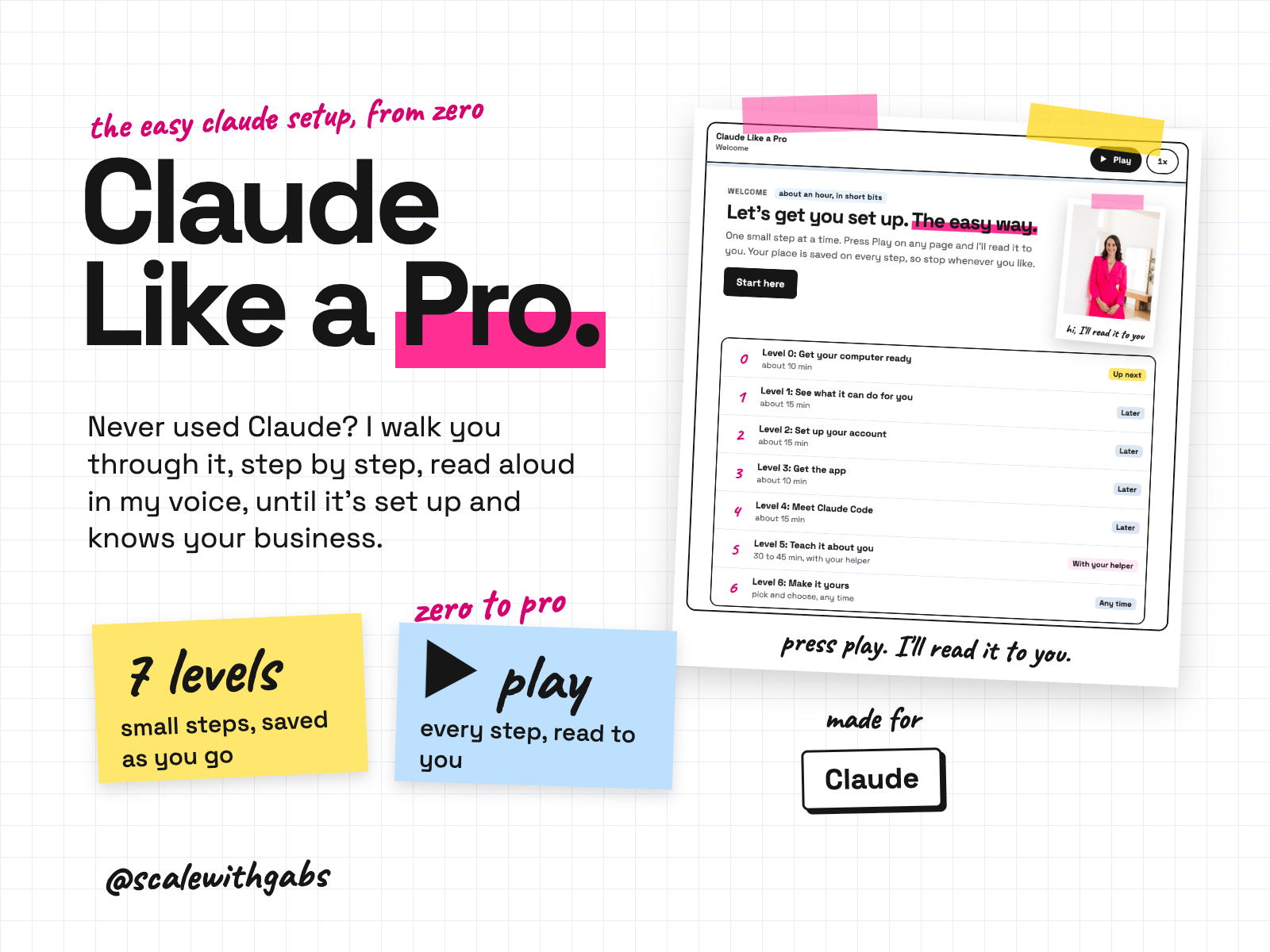
You don't need to be technical, and you don't need to have used AI before. Open the course, press play, and I'll read each step to you while you click along. It's 10 levels, about 4 hours in all, and every step says how long it takes and saves your place, so you can do it in short bits. When you reach Claude Code, a helper takes over and finishes the setup with you, built around your business. Built for busy brains, including ADHD.
Never used AI before? Good, this was made for you. If you can copy and paste, you can do this. here's how
works in
- Claude
An independent course by @scalewithgabs, not made or endorsed by Anthropic.
Why I built it.
the question I get asked most
People kept saying to me, "These skills are great, but what if I don't even know how to use Claude?" So many people I talk to haven't started yet. They can do it. Nobody has shown them where to click.
The free guides are out of date. Claude changed how it's laid out in September, and almost everything online still shows the old version. So this one is checked against Anthropic's own pages every month and updated when something moves.
I use Claude every single day to run my business. I wanted the setup I'd give a friend: small steps, plain words, my voice in your ear, and nobody making you feel silly for asking.
What it does.
- Starts at the very beginning. Getting Chrome, finding your downloads, making a folder. If you've never installed an app, that's fine.
- Shows you what Claude can actually do for you. Real jobs for businesses like yours, and what it's honestly not good at.
- Gets your account right first time. The right plan, your privacy switches, and the two usage meters, so day 3 holds no nasty surprise.
- Reads every step aloud in my voice. Press play, follow along, and change the speed whenever you like.
- Matches your screen. Mac or Windows, the old layout or the new one, the clicks change to suit.
- Has a fix for when you get stuck. Every step has a "Stuck?" button with the fixes for what actually trips people up.
- Has a Need help? helper on every page. It knows where you're up to and answers your questions. It's AI, so it can get things wrong.
- Shows you, not just tells you. Short videos and pictures for every tricky click.
- Gives you a head start. A prompt and template pack, plus playbooks for your kind of business.
- Has a place for your questions and wins. Ask inside the course, and share what worked.
- Finishes the setup with you. A helper inside Claude Code installs itself (no key to paste), gets to know your business, connects your everyday tools one at a time, and builds a skill that writes in your voice.
- Stays current. Checked every month, with a "new this month" note so you always know what changed.
Who it's for.
and who it is not for
- People who have never used Claude, or who have only typed a few questions into it.
- Business owners, creators, coaches and service providers, selling products or services.
- Anyone who has tried AI, got a "meh" answer, and gave up.
- Busy brains, ADHD included. One step at a time, answer first, and stop whenever you like.
- Mac and Windows users.
Not for: developers who already use Claude Code every day, team admins rolling Claude out across a company, or anyone who wants someone else to do the setup for them. This one is do-it-yourself, with me in your ear the whole way.
How it works.
- 1Open the course. Use the key from your receipt email. It works on your computer or your phone.
- 2Answer two quick questions. Mac or Windows, and what your Claude looks like, so every click matches your screen.
- 3Work through the levels. From getting your computer ready to meeting Claude Code. Press play on any step and I'll read it to you.
- 4Stop whenever you like. Your place is saved on every step.
- 5Hand over to your helper. At Claude Code, the course gives you a helper that finishes the setup with you, built around your business.
- 6Come back any time. Everything stays there, with a monthly "new this month" note.
See it in action.
tap one to see it full size
These screenshots are from the real course on a test login. Some pictures inside the course are still being added.
How to use it.
copy, paste, done
- 1Open the course with the licence key from your receipt email.
- 2Press play and follow along. Pick Mac or Windows, and every click matches your screen.
- 3Meet your helper. At Claude Code, the course gives you a helper that finishes the setup with you, built around your business.
the first thing you'll say to Claude
Ask me 5 questions about my business, one at a time. Then tell me 3 things you could take off my plate this week.
Then just say things like
Start my setup.your helper picks up where the course leaves offCheck my setup.a quick health check of everything you've set upWhat's new?this month's changes to Claude, in plain wordsHelp, I'm stuck.tell it what you see and it finds the fixI'm confused. Go backwards and tell me step by step.my favourite sentence, and it works every timeI need to stop for now. Save where we are.pick up later
Works in your AI tool.
made for Claude, and only Claude
Where I have run it: Built and tested end to end, with every step read aloud in my voice. I'm now testing it with people who have never used Claude, on Mac and on Windows, and I'll update this line when that's finished.
Never used AI?
good. start here.
Good. You're exactly who I wrote the lessons for.
Every download comes with a How to use page you can open before you even unzip anything. Pick your AI tool and it shows you where to click and what to paste, one step at a time. If you can copy and paste, you're qualified.
Then there's a short lesson that walks you through your first real session: what to say, what a good answer looks like, and what to do when it isn't. You never have to type a command.
Still stuck? Every download has an it didn't work section for each tool, and my email. Or grab an hour with me and we'll set it up together.
What you get.
- The online course: 10 levels, every step read aloud in my voice.
- Short videos and pictures for every tricky click.
- Your setup helper for Claude Code, which installs itself, with no key to paste.
- A prompt and template pack, plus playbooks for your kind of business.
- A Questions and wins space inside the course.
- Checked every month, with a "new this month" note.
Good questions.
tap a question to open it
I've never used AI. Is this too advanced for me?
No. It starts with copy and paste and finding your downloads. If you can send a text message, you can do this. Every step is small, timed and read aloud.
Do I need a paid Claude plan?
Not to start. The first levels work on Claude's free plan. From Level 5 you'll need Pro or above, a separate subscription with Anthropic. Start with monthly, and check today's price at claude.com/pricing.
Is this made by Anthropic?
No. It's an independent course by @scalewithgabs, not made or endorsed by Anthropic. Claude is Anthropic's product, and your plan with Claude is your own arrangement with them.
What if Claude changes?
It will. That's why the course is checked against Anthropic's own pages every month, and every change goes in a "new this month" note.
Do I need to be technical for Claude Code?
No. You never write code. You talk to it in plain English, and it asks before it changes anything. The course shows you how to keep it to one folder you choose.
Mac or Windows?
Both. You pick yours at the start, and every click and picture matches.
What if I get stuck?
Every step has a "Stuck?" button with the fixes for the things that actually trip people up. Still stuck? Reply to your receipt email with a screenshot.
Is it safe?
You stay in charge. You only give Claude the one folder you choose, it asks before it changes anything, and the course never asks for your passwords, keys or card details. Nothing is sent, posted or bought without you pressing the button.
Will it work with ChatGPT?
No. This one is made for Claude, and only Claude.
What if I have ADHD?
It's built for busy brains, ADHD included. One small step at a time, a time on every step, read aloud if you'd rather listen, and your place saved so you can stop whenever you like.
Can anyone see my data?
Your chats with Claude stay in your own Claude account, and nothing you type into Claude comes to me. Inside the course, the "Need help?" helper saves the questions you ask it (never your name or keys) so I can make the course better. The course also saves your progress so you can pick up where you left off.
What will the AI do with my info?
The same as with anything else you type into it: it follows your AI tool's privacy settings. Most let you switch off using your chats for training: in Claude it's under Privacy, in ChatGPT it's Data controls, and in Gemini it's your Activity settings.
Claude Cowork or Claude Code? Which one?
Claude Code. I know, the name sounds scary, but you never write code. You open the Code tab in the Claude desktop app and chat like normal. The difference is what it can do: it works right inside your own files and folders, runs the little tools my skills use, and can build real things like a dashboard. That's why it's the one I use every day. It asks before it changes or runs anything, so nothing happens without your click. And if anything confuses you, tell it to explain it like you're 5.
Should I be worried about giving AI my business info?
Honestly? If you've ever logged into public Wi-Fi at a cafe, you've already taken a bigger risk than this. If you want to grow, you need to move fast and get ahead, and worrying about AI will hold you back. Just be smart about it: never give AI your passwords, API secret keys or card details, use a paid plan and switch off training in your settings, and only connect the apps you actually need.
What if it's not for me?
Because you get the whole course the moment you buy, I don't offer refunds for change of mind. Not sure it suits you? Message me before you buy and I'll tell you honestly. If something's actually broken, reply to your receipt and I'll fix it.
How do I get it?
Pay once. Your receipt email has your licence key. Open the course from the link in your receipt and paste the key. When you reach Claude Code, the course shows you where to get your setup helper with the same key.
Do I get updates?
Yes, automatically. The course is online, so every improvement I make when Claude changes is there the next time you open it. Your progress always stays exactly where you left it. An update never resets it or removes it.